


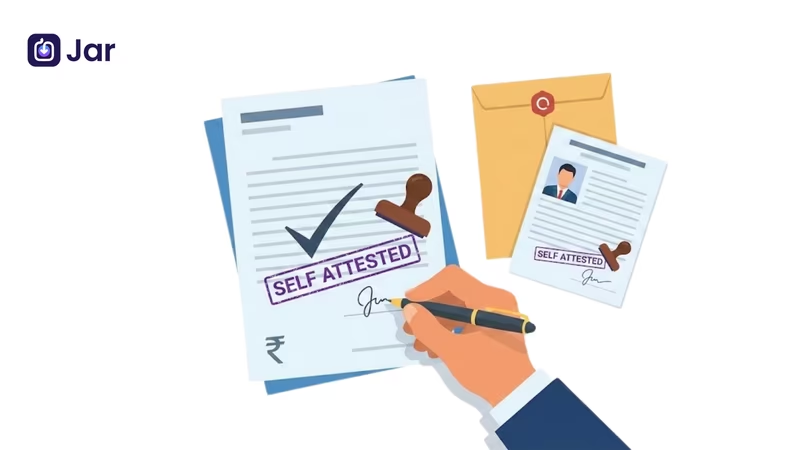


We have all been there. You are filling out a crucial application form, maybe for a new job, a bank loan, or a college admission, and you hit a confusing instruction: "Please submit a self-attested copy of your documents."
It sounds like legal jargon, doesn't it? But don't worry. It is actually one of the easiest parts of the paperwork process. You don't need a lawyer, and you definitely don't need to run around looking for a notary.
In this guide, we will clear up exactly what a self-attested certificate means, how to do it correctly, and why it is asked for.
What Is Self-Attested?
In the simplest terms, self-attested is a way of validating a document by yourself. Historically, you had to find a "Gazetted Officer" or a notary public to stamp your photocopies to prove they were real.
Now, the process is decentralized. When you self-attest a document, you are personally declaring that the photocopy is a true reflection of the original. You are taking responsibility for its authenticity.
Self-Attested Meaning
So, what is the exact self-attested meaning?
It means you place your self-attested signature on a photocopy of a document to certify it. By signing it, you are legally stating, "I confirm that this is a genuine copy of the original document I hold."
If you are asked for a self-attested certificate, don't get confused. It doesn't mean you need to obtain a new certificate. It just means you need to take your existing certificate, make a copy, and sign it to validate it.
Who Needs to Self-Attest Documents?
For most normal administrative duties, you'll probably need to self-attest copies of your documents.
Notary services are still needed for high-stakes legal transfers like selling property; however, self-attested copies are standard for:
- Job Applications: Checking your letters of experience or degree.
- KYC Steps: Giving banks your Aadhaar or PAN card.
- Admissions: Sending your mark sheets to schools or colleges.
- Government Programs: Getting a license or passport.
Understand the required documents and step-by-step process to complete your Udyam registration smoothly.
Key Features of Self-Attestation
To fully grasp the self-attested copy meaning, look for these key features:
- Owner Verification: The person to whom the document belongs must sign it. You can't sign for someone else.
- No Third Party: No stamps from officers or lawyers are needed.
- Binding Declaration: By signing, you accept legal responsibility if the document turns out to be fake.
- Format: It usually involves a phrase like "True Copy" followed by a signature.
How Self-Attestation Works
The process is built on trust and convenience. When an organization asks for a self-attested photocopy, they want to ensure they aren't dealing with anonymous, unverified papers.
By adding your signature, you turn a plain piece of paper into a self-attested form or valid submission. If you are ever asked to show the originals later, this signed copy serves as your promise that the originals exist and match the copy.
Step-by-Step: How to Self-Attest a Document
If you are unsure how to proceed, here is a clear example of self-attested document preparation:
- Get the Original: Have your original ID or certificate ready.
- Make a Copy: Take a clear, clean photocopy. Do not write on the original.
- Add the Text: On the photocopy, find a blank space (usually the bottom right). Write "Self-Attested."
- Sign: Put your signature immediately below that text. This is your self-attested signature.
- Date It: It is always good practice to write the date under your signature.
If you need a self-attested sample to visualize this, just picture a xerox of your ID card with your signature and today's date written in blue ink at the bottom.
Get a clear explanation of the GST Act and learn about documentation, certification, and invoice formats for 2025.
Tips to Avoid Attestation Issues
Even though it is easy, forms do get rejected if the self-attested copy is messy. Follow these tips:
- Don't hide details: Ensure your signature doesn't scribble over your name, photo, or ID number.
- Check readability: If the photocopy is too dark or blurry, the self-attested photocopy is invalid.
- Match the signature: Your signature on the copy should look like the one on your official ID.
- Wet Ink: Always sign with a pen (blue or black) after printing. Do not photocopy a document that already has a signature on it.
Learn what an ITR is and follow the simple filing process with the right documents to stay tax compliant.
Why Self-Attestation Matters
This method was introduced to cut down on red tape. Understanding self-attested meaning saves you time and money.
- It’s Fast: No waiting in queues for an officer to stamp your papers.
- It’s Free: No fees paid to notaries for basic verification.
- It’s Empowering: It trusts the citizen to be honest about their own credentials.
Speaking of securing your future without the headache of paperwork, you can start buying digital gold on the Jar.
Knowing the correct self-attested meaning is a small but essential skill for modern life. Whether you are applying for a job or opening a savings account, knowing how to self-attest a document properly ensures your paperwork is accepted the first time.
It is just a signature, but it is a signature that says, "This is true, and I stand by it."
People also ask (FAQs)
How do you self-attest a document?
To self-attest, make a photocopy of your original document. On this copy, write "Self-Attested" or "True Copy," sign your name underneath, and add the date.
What does "self-attesting" mean?
Self-attested meaning is simply the act of certifying a document yourself. You sign a copy of the document to declare that it is a true copy of the original, without needing an official to verify it for you.
How to self-attest a photo?
To self-attest a passport photo, paste it onto the form first. Then, sign across the photograph so that half of your signature is on the photo and the other half is on the paper form. This prevents the photo from being removed and misused.
How to self-attest a PDF document?
You can print the PDF, sign it by hand, and scan it back into the computer. If the portal accepts digital signatures, you can use a PDF editor to insert your digital signature and the text "Self-Attested."
How to get a self-attested copy?
You create it yourself. Take your original document, photocopy it, and sign that photocopy. That signed paper is your self-attested copy.
How do I verify my signature?
Your signature should allow authorities to verify it against your government ID (like a PAN card or passport). Always use the same signature you use on your official ID proofs.